 Miniscan
Support
Miniscan help
Miniscan is a code scanner for iPhone and iPad, iOS and iPadOS 17 or later. It reads several QR codes and barcodes at once, on your device, and keeps each one exactly as encoded.
Contact us
Email support@ieb.app. For a problem, include your device model, its iOS or iPadOS version and what you were scanning.
Common questions
How do I scan several codes at once?
Point the camera at them. There is no shutter button: each code Miniscan recognises gets its own outline and coloured label, and you can tap a label to open that result. To work with a still scene, choose Freeze Workspace. To scan a picture, choose Scan Image, then Photos or Files. An image with several codes opens straight in the workspace.
Can I scan an image from another app?
Yes. In that app's Share sheet, choose Scan with Miniscan. It scans up to ten images at a time. On iPad you can also drop images onto the scanner.
Does Miniscan need the camera?
Only for live scanning. Scanning images from Photos, Files or the Share sheet works without camera access. You can change camera access at any time in Settings > Privacy & Security > Camera.
How do I delete my history?
In History, swipe a code to delete it, or clear the whole history. History keeps up to 100 recent codes plus up to 100 favourites, only on your device. Deleting the app removes it all.
How do I add a widget?
Open Miniscan's Privacy Policy screen and choose Set Up Widgets for the steps. Quick Scan opens the scanner without showing any scan content. To keep one code on your Home Screen, open a QR Code, Aztec or Data Matrix result and choose Pin to Code Widget. Anyone who can see your Home Screen can scan a pinned code.
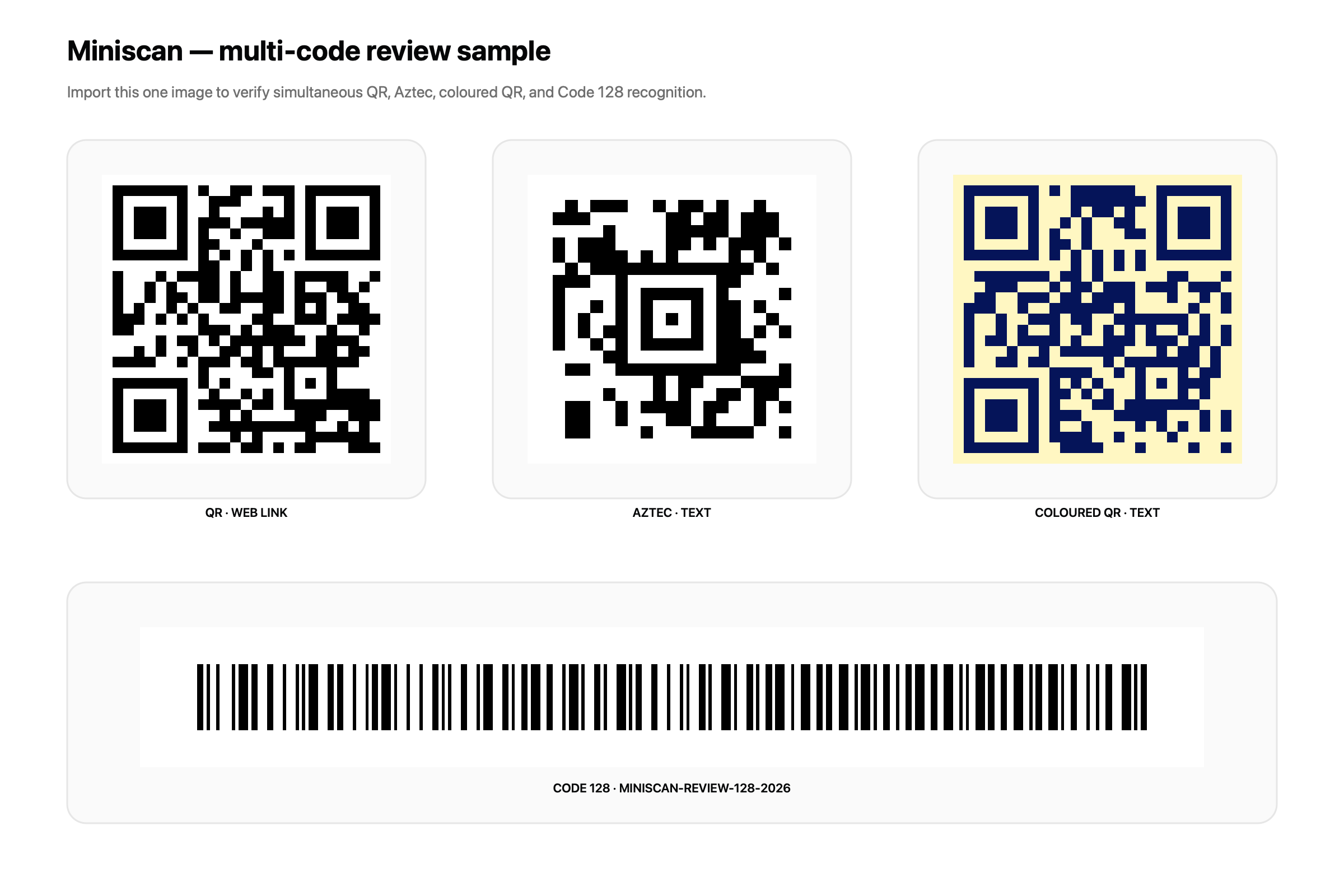
Multi-code test image
This image holds four codes in four formats. Import it with Scan Image, or show it on another screen and scan it with the camera. Miniscan reads all four together.
Download the full-size image (PNG)
Expected results:
- QR Code:
https://example.com/ - Aztec:
MINISCAN-AZTEC-2026 - QR Code (coloured):
MINISCAN-COLOUR-QR-42 - Code 128:
MINISCAN-REVIEW-128-2026
Privacy
Miniscan has no accounts, analytics, advertising or tracking. Read the privacy policy.